

PROTECT YOUR DNA WITH QUANTUM TECHNOLOGY
Orgo-Life the new way to the future Advertising by AdpathwayI’ve worked as a professional travel photographer since 2010, and in that time I’ve shot to almost every type of memory card going, from CompactFlash in my early DSLRs to the CFexpress card sitting in my Canon R5 today. If you’ve just bought a camera and you’re staring at a wall of cards labelled UHS-I, UHS-II, V30, V60, V90, Type A and Type B, this guide will make the decision for you.
Here’s the short version. For most photographers using a camera with an SD slot, the best all-round card is the SanDisk Extreme PRO UHS-II V90. If your camera takes CFexpress Type B, which most current high-end bodies do, buy the Delkin BLACK CFexpress 4.0 or the Lexar Professional DIAMOND.
Sony shooters need CFexpress Type A instead, which is a different and non-interchangeable format. The right card depends entirely on which camera you own, so before you spend anything, find your body in the table below and buy the card type it actually needs.
I’ll also explain what all those speed ratings actually mean, how much capacity you really need (usually less than the marketing suggests), and the simple card workflow I’ve relied on for years of shooting all over the world.
Which Memory Card Does Your Camera Need?
The single biggest factor is your camera body, because it dictates which card formats physically fit and how fast they can run. Find your camera in the table below, buy that card type, and meet at least the speed floor listed.
| Canon R5 / R5 II | 1x CFexpress Type B + 1x UHS-II SD | CFexpress Type B (slot 1) + UHS-II V90 SD (slot 2) | VPG400 / V90 | 128GB CFexpress |
| Canon R6 II | 2x UHS-II SD (no CFexpress) | UHS-II SD | V60 min, V90 for 4K | 128GB |
| Canon R7 | 2x UHS-II SD | UHS-II SD | V60 min, V90 for 4K | 128GB |
| Sony A7 IV | Slot 1: CFexpress Type A or UHS-II SD. Slot 2: UHS-II SD only | CFexpress Type A or UHS-II V90 SD in slot 1; SD only in slot 2 | VPG400 / V90 | Type A 480GB+ for full speed, or 128GB SD |
| Sony A7R V / A1 | 2x hybrid (CFexpress Type A or UHS-II SD each) | CFexpress Type A for speed; UHS-II V90 SD works in both | VPG400 / V90 | Type A 480GB+ for full speed |
| Sony A9 III | 2x hybrid (CFexpress Type A or UHS-II SD each) | CFexpress Type A (Gen4) for 120fps bursts; SD also works | VPG400 | Type A 480GB+ (Gen4) |
| Nikon Z8 | 1x CFexpress Type B + 1x UHS-II SD | CFexpress Type B + UHS-II V90 SD | VPG400 / V90 | 256GB CFexpress |
| Nikon Z9 | 2x CFexpress Type B | CFexpress Type B (x2) | VPG400 | 256GB each |
| Nikon Z6 III | 1x CFexpress Type B + 1x UHS-II SD | CFexpress Type B (runs at 2.0 speed in-camera) + UHS-II V90 SD | VPG400 / V90 | 256GB CFexpress |
| Fujifilm X-T5 | 2x UHS-II SD | UHS-II SD | V60 min, V90 for 6K | 128GB |
| Fujifilm X-H2 / X-H2S | 1x CFexpress Type B + 1x UHS-II SD | CFexpress Type B + UHS-II V90 SD | VPG400 / V90 | 256GB CFexpress |
| Older / budget bodies (Canon 6D / 6D II, Sony RX100, entry DSLRs) | 1x UHS-I SD | UHS-I SD | V30 / U3 | 64-128GB |
I shoot a Canon R5, so I run exactly the first row: a CFexpress Type B card in slot one and a UHS-II SD in slot two. I actually shoot Canon’s compressed RAW (CRAW) format as I can’t tell the different between it and full RAW. The images look the same, the files take up roughly half the space.
There are two things the table doesn’t show you.
First, the two CFexpress formats are not interchangeable. Type A (Sony) and Type B (Canon, Nikon, Fujifilm) are physically different sizes. A Type B card won’t fit a Sony body, and a Type A card won’t fit a Canon, Nikon or Fuji. Buy strictly for your specific camera.
Second, on the Sony A7 IV only slot 1 takes CFexpress Type A; slot 2 is SD-only. On the A1, A7R V and A9 III both slots are hybrid and will happily run ordinary SD cards if you prefer them.
If you have an SD-only body like the R6 II, R7 or X-T5, there’s no CFexpress upgrade path to chase, which is freeing (and cheaper!). A good V90 SD card is all you’ll ever need on those cameras.
My Top Memory Card Picks for 2026
If you just want the answer for your situation, here are my picks by category. Full write-ups and the spec comparison follow below.
- Best overall SD card: SanDisk Extreme PRO UHS-II V90. Fast enough for any SD-slot camera, V90 for video, IP68 tough.
- Best value V90 SD card: Lexar Professional 2000x. The same performance class for less.
- Best SD card for video: ProGrade Digital Iridium V90. The most consistent sustained write.
- Most durable SD card: Sony TOUGH SF-G. Ribless, switchless, waterproof, bend-proof.
- Best budget and older-camera SD card: SanDisk Extreme PRO UHS-I V30. All you need on a UHS-I body.
- Best CFexpress Type B card: Delkin BLACK CFexpress 4.0. Fast, VPG400, built like a tank.
- Best premium CFexpress Type B card: Lexar Professional DIAMOND. The fastest, most durable Type B card here.
- Best CFexpress Type A card (Sony): Sony CEA-G TOUGH Series. The default for Sony flagships.
- Best microSD card: SanDisk Extreme PRO microSD. For action cameras and drones.
Memory Card Speed Ratings Explained
The labels on a memory card describe two different things: the bus (how the card physically talks to the camera, which sets the ceiling) and the speed class (the guaranteed minimum write speed, which matters for video and bursts). Here is what each one means in plain terms.
UHS-I vs UHS-II SD Cards
UHS-II SD cards have a second row of pins that roughly triples the maximum speed. UHS-I tops out at around 104 MB/s, while UHS-II reaches around 312 MB/s using that extra row, as documented by the SD Association. You can tell them apart by flipping the card over: a UHS-II card has two rows of contacts, a UHS-I card has one.
A UHS-II card works fine in a UHS-I camera, but only at UHS-I speed, so there is no point paying for UHS-II unless your camera supports it. Check your manual. Many entry-level and older bodies are UHS-I only, which is why my old Canon 6Ds are perfectly happy with cheaper UHS-I cards.
What V30, V60 and V90 Mean
The V number is the card’s guaranteed minimum sustained write speed in megabytes per second: V30 is 30 MB/s, V60 is 60 MB/s and V90 is 90 MB/s. The SD Association’s Video Speed Class exists precisely because video records continuously, so the floor matters more than the headline peak. The older U3 mark means the same 30 MB/s minimum as V30.
For stills, V30 is fine on most cameras. For 4K video, V60 is the practical floor and V90 gives you headroom. For 6K or 8K, you want V90 on SD, or you move up to CFexpress entirely.
CFexpress Type A vs Type B
Type B is about twice as fast as Type A because it uses two PCIe lanes against Type A’s one. On the CFexpress 2.0 generation that meant roughly 2,000 MB/s for Type B and 1,000 MB/s for Type A, as set out by the CompactFlash Association. Type B is the common high-end format, used by Canon, Nikon and Fujifilm. Type A is used only by Sony, in a smaller card that is closer to the size of an SD card.
The two are physically different and do not interchange, so always buy the exact type your camera takes. Type A cards also cost more per gigabyte, because Sony is effectively the only market for them.
CFexpress 2.0 vs 4.0
CFexpress 4.0 roughly doubles the bandwidth of 2.0 by moving to PCIe Gen4, pushing Type B cards to around 3,700 to 4,000 MB/s. Almost every CFexpress card sold in 2026 is 4.0. The good news is that a 4.0 card runs in an older 2.0 camera at 2.0 speed, so it’s safe to buy whatever body you own, and it’ll run at full speed if you upgrade later.
One more rating worth knowing on CFexpress is VPG, the Video Performance Guarantee. VPG400 means the card is certified to hold at least 400 MB/s sustained, which is the number that matters for high-bitrate and 8K video. As for SD Express, the faster SD standard that occasionally gets mentioned: it exists, but no mainstream camera body has adopted it as of 2026, so there’s nothing to wait for. CFexpress already fills that high-speed role.
Memory Card Specs Compared
Here are all my picks side by side. Read and write figures are the manufacturers’ maximums for the current generation of each card; sustained write is the floor that matters for video. One thing worth knowing before you buy: speeds often vary by capacity within the same model, and the smallest card in a range is usually the slowest, so check the rating on the exact size you’re buying.
| SanDisk Extreme PRO UHS-II V90 | SD UHS-II | Best overall SD | 128GB-2TB | 310 MB/s | 305 MB/s | 90 MB/s min, V90 |
| Lexar Professional 2000x | SD UHS-II | Best value V90 SD | 64GB-512GB | 300 MB/s | 260 MB/s | V90 |
| ProGrade Digital Iridium | SD UHS-II | Best for video | 128GB-1TB | 300 MB/s | 200-275 MB/s* | 90 MB/s min, V90 |
| Sony TOUGH SF-G | SD UHS-II | Most durable SD | 32GB-256GB | 300 MB/s | 299 MB/s | 90 MB/s min, V90 |
| SanDisk Extreme PRO UHS-I | SD UHS-I | Best budget / older bodies | 32GB-512GB | 200 MB/s | 140 MB/s | V30 / U3 |
| Delkin BLACK CFexpress 4.0 | CFexpress 4.0 Type B | Best CFexpress B overall | 512GB-2TB | 3,700 MB/s | 3,220 MB/s | 2,020 MB/s, VPG400 |
| Lexar Professional DIAMOND | CFexpress 4.0 Type B | Best premium CFexpress B | 128GB-1TB | 3,700 MB/s | 3,400 MB/s | 3,200 MB/s, VPG400 |
| ProGrade Iridium (CFexpress) | CFexpress 4.0 Type B | Best big capacity / 8K | 400GB-1.6TB | 3,550 MB/s | 3,000 MB/s | 1,500 MB/s, VPG400 |
| Sony CEA-G TOUGH | CFexpress Type A | Best Type A (Sony) | 240GB-1.92TB | 1,800 MB/s | 1,700 MB/s | VPG400 |
| SanDisk Extreme PRO microSD | microSD UHS-I | Best microSD (action / drone) | 64GB-2TB | 200 MB/s | 140 MB/s | V30 / A2 |
| Angelbird AV PRO SE v4 | CFexpress 4.0 Type B | Rugged alternate | 512GB-4TB | 3,700 MB/s | up to 3,500 MB/s** | up to 3,150 MB/s |
| Nextorage NX-B3SE | CFexpress 4.0 Type B | Value Type B alternate | 256GB-1TB | 3,900 MB/s | up to 3,500 MB/s | up to 1,700 MB/s |
| Lexar Professional GOLD Type A | CFexpress 4.0 Type A | Type A alternate to Sony | 256GB-2TB | 1,800 MB/s | 1,650 MB/s | VPG400 |
*ProGrade Iridium (SD) writes at 200 MB/s on the 128GB and 275 MB/s on 256GB and larger. **Angelbird write speed climbs steeply with capacity, from 1,100 MB/s on the 512GB to 3,500 MB/s on the 2TB and 4TB.
The Best SD Cards for Photography
SD is the format most cameras still use, and a good UHS-II V90 card will keep up with any current SD-based body. These are the five I would recommend, from the all-rounder down to the budget pick.
SanDisk Extreme PRO UHS-II V90: Best Overall SD Card
This is the SD card I recommend to most people. The current 2026 line reads at up to 310 MB/s and writes at around 305 MB/s, with a V90 rating that guarantees 90 MB/s sustained for 4K and 6K video. It’s IP68 rated, so it shrugs off rain and dust, and drop-proof to six metres.
It comes in 128GB to 2TB. SanDisk still sells an older 300 MB/s line in 64GB to 512GB for a little less, and for stills it makes no practical difference, since around 300 MB/s is the write ceiling on most camera bodies anyway. Get the newer line if the price is close, or save a few dollars with the older one if not.
Lexar Professional 2000x SDXC UHS-II: Best Value V90 SD Card
The Lexar 2000x gives you the same V90 performance class for less money. It reads at 300 MB/s and writes at 260 MB/s, which is a touch slower on paper than the SanDisk but indistinguishable in real shooting on any current body. Capacities run 64GB to 512GB. If you want two or three V90 cards without paying flagship prices, this is the value pick.
ProGrade Digital SDXC UHS-II V90 Iridium: Best SD Card for Video
ProGrade makes the most consistent sustained-write SD cards I’ve used, which is what you want for video and long bursts. The V90 Iridium line reads at 300 MB/s, while write speed depends on capacity, at 200 MB/s on the 128GB and 275 MB/s on the 256GB and larger, so size up if you shoot a lot of video. It also supports ProGrade’s Refresh Pro tool, which resets a card to factory condition. One note on the name: ProGrade’s old “Gold” V90 cards are gone, and Iridium is the current V90 line.
Sony TOUGH SF-G Series SDXC UHS-II: Most Durable SD Card
If you shoot in rough conditions, the Sony TOUGH is the most durable SD card going. It has no ribs and no write-protect switch, the two parts of an SD card that usually snap, and it is IP68 rated, bend-proof to eighteen times the SD standard and drop-proof from five metres. It reads at 300 MB/s and writes at 299 MB/s, V90, in 32GB to 256GB. You pay a premium for the build, but if you’ve ever physically broken a card, this is the answer.
SanDisk Extreme PRO SDXC UHS-I V30: Best Budget and Older-Camera SD Card
Not every camera needs a fast UHS-II card. My old Canon 6Ds take a single UHS-I SD slot, and this is exactly the kind of card I run in them. The Extreme PRO UHS-I reads at 200 MB/s and writes at 140 MB/s, with a V30 rating that handles stills and 4K on the bodies that use it. It is A2 rated on 64GB and up, and comes in 32GB to 512GB. If your camera is UHS-I only, save your money and buy this rather than a UHS-II card you can’t take advantage of.
The Best CFexpress Cards
CFexpress is the high-speed format on current flagship cameras, and it comes in two incompatible types: Type B for Canon, Nikon and Fujifilm, and Type A for Sony. Buy for the type your camera takes. Every card below is the current CFexpress 4.0 generation, and all of them run in older 2.0 cameras at 2.0 speed.
Best CFexpress Type B Cards
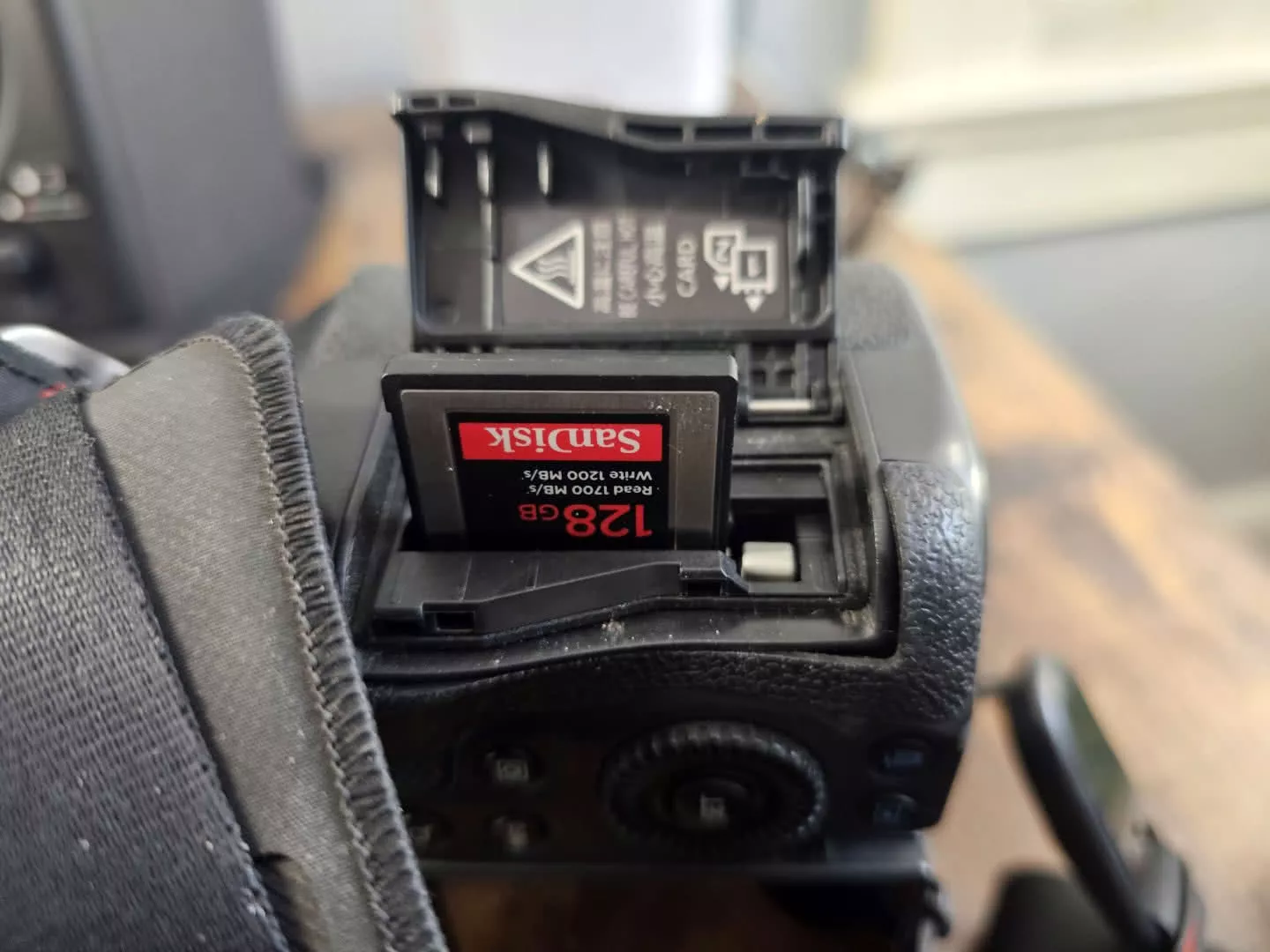
The Delkin BLACK CFexpress 4.0 VPG400 is my overall pick. It reads up to 3,700 MB/s, writes up to 3,220 MB/s and holds a guaranteed 2,020 MB/s sustained, with VPG400 certification for high-bitrate video. It comes in 512GB to 2TB and is built to take a beating. For most people with a Type B camera, this is the one to buy.
The Lexar Professional DIAMOND is the premium choice and Lexar’s flagship Type B card. It reads at 3,700 MB/s and writes at 3,400 MB/s, with the highest sustained write here at 3,200 MB/s and a 30,000 TBW endurance rating. If you want the fastest, most durable Type B card and the price doesn’t put you off, this is it. Capacities run 128GB to 1TB.
The ProGrade Iridium CFexpress 4.0 Type B is the one to get if you want a big-capacity card for long 8K sessions. It comes in 400GB, 800GB and 1.6TB, reads at up to 3,550 MB/s, writes up to 3,000 MB/s in bursts, and is VPG400 rated for sustained high-bitrate work. Go for the 800GB or 1.6TB if you shoot a lot of video, because the 400GB has a lower sustained write than the larger two.
Two alternates round out the Type B picks. The Angelbird AV PRO SE v4 is the rugged choice, rated against temperature, moisture, dust, shock, x-ray and magnetism, and it goes up to 4TB. Watch the write speeds, which climb steeply with capacity, from 1,100 MB/s on the 512GB to 3,500 MB/s on the 2TB and 4TB, so buy 2TB or larger if write speed matters to you. The Nextorage NX-B3SE, from a company founded by former Sony storage engineers, is a strong value pick with read speeds up to 3,900 MB/s in 256GB to 1TB. The 256GB is noticeably slower on sustained write than the larger sizes, though, so step up to 512GB or 1TB if you shoot heavy video.
Best CFexpress Type A Cards (Sony)
CFexpress Type A is Sony’s format, so this section is for Sony shooters. I shoot Canon rather than Sony, so I’m going on specifications and compatibility here rather than years behind the camera, but the picture is simple because the market is small.
The Sony CEA-G TOUGH Series is the card to buy for a Sony A1, A7 IV, A7R V or A9 III. The current CFexpress 4.0 line (model numbers like the CEA-G240T) runs from 240GB to 1.92TB, reads at 1,800 MB/s and writes at 1,700 MB/s, all VPG400 and TOUGH-rated against water and dust. Sony also sold an older, slower CFexpress 2.0 line in smaller 80GB to 320GB sizes, so if you’re buying secondhand, check you’re getting a current 4.0 card rather than one of the old 800 MB/s ones.
The one real alternative is the Lexar Professional GOLD CFexpress 4.0 Type A, which matches Sony’s top tier at 1,800 MB/s read and 1,650 MB/s write with VPG400, in 256GB to 2TB, usually for less than the Sony. If you want a Type A card and would rather not pay Sony’s premium, this is the one to get. ProGrade, despite making excellent Type B cards, doesn’t make a Type A card at all, so don’t go looking for one.
The Best microSD Card for Action Cameras and Drones
microSD is the format for action cameras and drones rather than dedicated cameras, and for that job the SanDisk Extreme PRO microSD is my pick. It reads at up to 200 MB/s and writes at up to 140 MB/s, with the V30 and A2 ratings that matter most here, keeping up with 4K and 5.3K action footage without dropping frames. Capacities run 64GB to 1TB, with a 2TB version available, and speeds vary by size, so check the rating on the one you buy.
My own DJI drone and Akaso action camera both take microSD, so this is the card I reach for when I’m packing them. One word of warning: don’t buy a microSD card with an SD adapter as a substitute for a real full-size SD card. A full-size SD card is faster and more reliable in a camera that takes one. Buy microSD only for the device that actually needs it.
How I Set Up My Cards: A Working Photographer’s Workflow
My card setup is simpler than most gear roundups would have you believe. I shoot a Canon R5, which has a CFexpress Type B slot and a UHS-II SD slot. In the CFexpress slot I run a 128GB SanDisk Extreme PRO Type B card. It’s a couple of generations old now because I bought it a while ago when I bought my camera. It’s a CFexpress 2.0 card rather than the current 4.0, and it’s never once missed a beat. In the SD slot I keep a modest 64GB Transcend UHS-I card.
For the vast majority of my work I shoot RAW to the CFexpress card only. A single 128GB card has been more than enough for the way I shoot, even on long travel days. I only switch on the SD slot as a same-time backup for critical, one-off shoots I can’t repeat, and even then sparingly, because that cheap UHS-I card is slow to write and would bottleneck a fast burst.
My real backup is offline. At the end of every shooting day I copy everything I have taken onto an external SSD through my laptop, before the card goes back in the bag. That nightly habit, not the second card slot, is what actually protects my work.
Now, a word on reliability, because it is what people fret about most. In over fifteen years of professional shooting I’ve never had a card corrupt or fail on me. Solid-state cards are very reliable, and I don’t run mirrored slots out of fear. A second slot is useful insurance for a wedding or a once-in-a-lifetime shoot where there is no second chance, and if your camera has two slots, turning on backup costs you nothing but a little speed. For everyday travel photography, though, a good card and a disciplined nightly backup matter far more than constant in-camera mirroring.
How Much Capacity Do You Actually Need?
Most photographers buy far more capacity than they will ever use. A single card doesn’t have to hold an entire trip, and there’s a good argument that it shouldn’t. Here is roughly how many RAW files different card sizes hold, so you can size up to how you actually shoot.
| 64GB | ~2,000 | ~1,200 | A single day, or an older / backup card |
| 128GB | ~4,200 | ~2,400 | A full day of heavy shooting (my own default) |
| 256GB | ~8,500 | ~4,800 | A multi-day trip without offloading; some video |
| 512GB+ | ~17,000 | ~9,500 | Video-heavy work, long bursts, 8K |
These are rough figures. Real counts vary with how detailed your scenes are, because more detail means larger files, and card capacity is always a little lower in practice than the number on the label.
For a single day of travel stills, 128GB is likely far more than you are going to need. For a multi-week trip I’d rather carry two or three 128GB to 256GB cards than one huge card, because spreading your images across several cards is its own form of backup; if one card is ever lost or damaged, you haven’t lost the whole trip.
Only video-heavy shooters and people firing long 8K clips really need 512GB and up, where capacity vanishes quickly. If you shoot fast RAW bursts of wildlife, prioritise sustained write speed (a VPG400 CFexpress card) over sheer capacity, and 256GB will see you through a long day in the field.
Is CFexpress Worth It? Future-Proofing in 2026
If your camera has a CFexpress slot, use it. CFexpress is the standard high-speed format on flagship bodies now, and as of 2026 the 4.0 generation is mainstream rather than cutting-edge, with Delkin, Lexar, ProGrade, Angelbird and Nextorage all shipping 4.0 cards.
Buying a 4.0 card is sensible future-proofing even if your current body is only CFexpress 2.0. The card runs at 2.0 speed today and at full 4.0 speed the moment you move to a newer camera, so you’re not paying for performance you throw away.
The trickier call is for SD-only bodies. If you shoot an R6 II, R7 or X-T5 today but expect to move up to a CFexpress flagship soon, don’t pour money into a stack of top-end V90 SD cards. Two good V90 cards will cover you, and the rest of your budget is better saved for the CFexpress card you’ll need later. If you’re happy staying with an SD-only body, the opposite is true: a great V90 SD card is all you’ll ever need, and there’s no faster format to tempt you. That settledness is underrated.
What I’ve learned over the years is that I’ve never regretted buying a slightly faster card than I strictly needed, and I’ve never once needed the very fastest card on the market. A solid mid-tier current card comfortably outlasts two or three camera bodies. Spend for the slot your camera has, not for a spec sheet.
Managing Memory Cards While Travelling
Good card habits on the road are worth more than any single card. The system I use is boring and bulletproof, which is exactly what you want when you’re tired at the end of a long shooting day.
I carry two or three cards rather than one enormous one, number them with a paint pen, and rotate them in order so I always know which card is next and which have already been shot. Every night I offload the day’s images onto an external SSD through my laptop, and I don’t reformat a card until its photos are safely in at least two places. When I do clear a card, I format it in the camera rather than deleting files on a computer.
That two-copies rule is the whole point of card management. Cards almost never fail, in my experience, but the habit costs you five minutes a night, and the one time it ever matters it saves your entire trip. On a big wildlife day, where the shots are unrepeatable, I will also turn on the camera’s second slot as a live backup; you can read more about how I pack for that kind of shoot in my guide to safari camera gear.
Memory Card Care and Formatting Basics
Memory cards are tougher than they look, but a few simple habits keep them working for years.
Format a new card in the camera you will use it in before the first shoot, and reformat in-camera between trips rather than deleting files one at a time. In-camera formatting keeps the file system clean and matched to the body. Never pull a card while the access light is still on, as interrupting a write is the one reliable way to corrupt files. Keep spare cards in a small hard case; modern cards survive water, X-rays and being dropped, but the contacts still appreciate not rattling around a pocket with your keys and coins. Finally, if a card ever starts behaving oddly, with slow writes or files that will not copy, retire it. Cards are cheap set against the photos you trust them with.
Further Reading
If you are putting together a camera kit, these guides cover the rest of what goes in the bag:
- The best travel cameras, my pick of bodies for every budget.
- The best lenses for travel photography.
- The best laptops for photo editing, which is where my nightly card offload lands.
- A guide to neutral density filters for long exposures and video.
- The best action cameras, if you are choosing a device for that microSD card.
And if you want to get more out of whichever camera you shoot, my online travel photography course walks through the practical side, from capture to editing.
Frequently Asked Questions
What Is the Best Memory Card for Photography?
For most cameras with an SD slot, the SanDisk Extreme PRO UHS-II V90 is the best all-round choice: fast enough for any SD-based camera, V90-rated for 4K video, and tough enough to survive travel.
If your camera takes CFexpress Type B, the Delkin BLACK CFexpress 4.0 or Lexar DIAMOND are the cards to get, and Sony bodies use CFexpress Type A, where the Sony CEA-G TOUGH series is the main option. The best card for you really comes down to which type your camera physically takes, so check your camera’s slots first.
Do I Need SD or CFexpress?
You need whichever your camera takes, because you do not get to choose. Most current high-end bodies, such as the Canon R5, Nikon Z8 and Z9, Sony A1 and A9 III, and Fujifilm X-H2, use CFexpress.
Mid-range and older bodies, including the Canon R6 II and R7, the Fujifilm X-T5 and most DSLRs, use SD. CFexpress is far faster, but that speed only matters if your camera has the slot, so do not buy a CFexpress card for a camera that cannot read it.
What Do V30, V60 and V90 Mean?
The V number is the card’s guaranteed minimum sustained write speed in megabytes per second, so V30 is 30 MB/s, V60 is 60 MB/s and V90 is 90 MB/s. That sustained figure matters most for video and for long RAW bursts, where the camera writes continuously.
For 4K video, V60 is the practical floor and V90 gives you headroom. For stills, V30 is fine on most cameras.
What Is the Difference Between UHS-I and UHS-II SD Cards?
UHS-II cards have a second row of pins that roughly triples the maximum speed, from about 104 MB/s on UHS-I to about 312 MB/s on UHS-II. You can spot a UHS-II card by the two rows of contacts on the back.
A UHS-II card works in a UHS-I camera, but only at UHS-I speed, so there is no point paying for UHS-II unless your camera supports it. Many entry-level and older bodies are UHS-I only, so check your manual.
CFexpress Type A vs Type B: What Is the Difference?
Type B uses two PCIe lanes and is about twice as fast as Type A, which uses one. Type B is the common high-end format used by Canon, Nikon and Fujifilm, while Type A is used only by Sony.
The two are physically different sizes and do not interchange, so always buy the exact type your camera takes. Type A cards also cost more per gigabyte, because Sony is effectively their only market.
Do I Need a CFexpress 4.0 Card, or Is 2.0 Enough?
Most CFexpress cards sold in 2026 are 4.0, and they are worth buying even if your camera is only 2.0. A 4.0 card runs in a 2.0 slot at 2.0 speed, then runs at full speed if you upgrade to a 4.0 body later, which makes it sensible future-proofing.
You will not see the full 4.0 speed in an older camera, but you lose nothing by buying the newer card, and you save yourself a future purchase.
How Much Memory Card Capacity Do I Need?
For a single day of stills, 128GB is plenty, holding well over 2,000 high-resolution RAW files. For a multi-week trip I would rather carry two or three 128GB to 256GB cards than one huge card, because spreading your images across cards is its own backup.
Only video-heavy shooters and people firing long 8K clips really need 512GB and up. For everyone else, more capacity mostly means more to lose if a single card goes missing.
Are Expensive Memory Cards Worth It?
Up to a point. A reputable mid-tier card from SanDisk, Lexar, Delkin, ProGrade, Sony or Angelbird is worth every penny over a cheap no-name card, which is where most real-world failures and counterfeits come from.
But the very fastest, largest cards are usually overkill for stills, because your camera often cannot write fast enough to use them. Buy a trusted brand at the speed your camera actually supports, and put the savings towards capacity or a backup drive.
How Many Photos Fit on a 128GB Card?
Roughly 2,400 RAW files from a 45-megapixel camera like the Canon R5, or around 4,000 from a 24-megapixel body. JPEGs take far less room, so you could fit several times those numbers.
These are rough estimates. Real counts vary with how detailed your scenes are, since more detail means larger files.
Can I Use a CFexpress 4.0 Card in an Older Camera?
Yes, as long as the camera has a CFexpress slot of the same type. A CFexpress 4.0 Type B card works in any CFexpress 2.0 Type B camera, just at the slower 2.0 speed, and the same applies to Type A.
What you cannot do is mix the types. A Type B card will never fit a Sony Type A slot, or the other way round.
Are Memory Cards Reliable, and Do They Fail Often?
Modern solid-state cards are very reliable. In over fifteen years of professional shooting I have never had a card corrupt or fail on me, and I shoot to a single card most of the time.
The main causes of lost images are counterfeit or no-name cards, pulling a card mid-write, and human error, rather than the cards themselves. Buy from a reputable seller, format in-camera, and back up daily, and you are unlikely to ever have a problem.
What Is the Best Memory Card for Video and 8K?
For 8K and high-bitrate video you want a CFexpress card with a VPG400 rating, which guarantees 400 MB/s sustained write. The Delkin BLACK and Lexar DIAMOND both qualify.
On an SD-only camera, a V90 card like the ProGrade Iridium or SanDisk Extreme PRO is the top of what is possible. Sustained write speed matters more than the headline maximum here, because video writes continuously.
What Is the Best microSD Card for a GoPro or Drone?
The SanDisk Extreme PRO microSD is my pick for action cameras and drones, as it is V30 and A2 rated, which keeps up with 4K and 5.3K footage. My own DJI drone and Akaso action camera both take microSD, and a good V30 A2 card handles them without dropping frames.
Buy microSD only for the device that needs it, though, because a real full-size SD card is better in a camera that takes one.




















 English (US) ·
  French (CA) ·